Close Menu
    Facebook X (Twitter) Instagram
    Tech Chacho
    • News
    • Mobile
    • Gadgets
    • Enterprise
    • Security
    • Reviews
    • Startups
    • How To’s
    • More
      • Fintech
      • Education
      • Cryptocurrency
    Facebook X (Twitter) Instagram
    Tech Chacho
    Home » WhatsApp Desktop is Getting a Brand New Design Soon
    WhatsApp Desktop is Getting a Brand New Design Soon
    Social

    WhatsApp Desktop is Getting a Brand New Design Soon

    January 18, 2022No Comments2 Mins Read
    Share
    Facebook Twitter LinkedIn Pinterest Email

    Over the past few months, WhatsApp has launched quite a number of interesting features to enhance the user experience. Each update has been well received so far and this year, the Meta-owned platform seems to be working in full gear to bless its users with a more personalized desktop app.

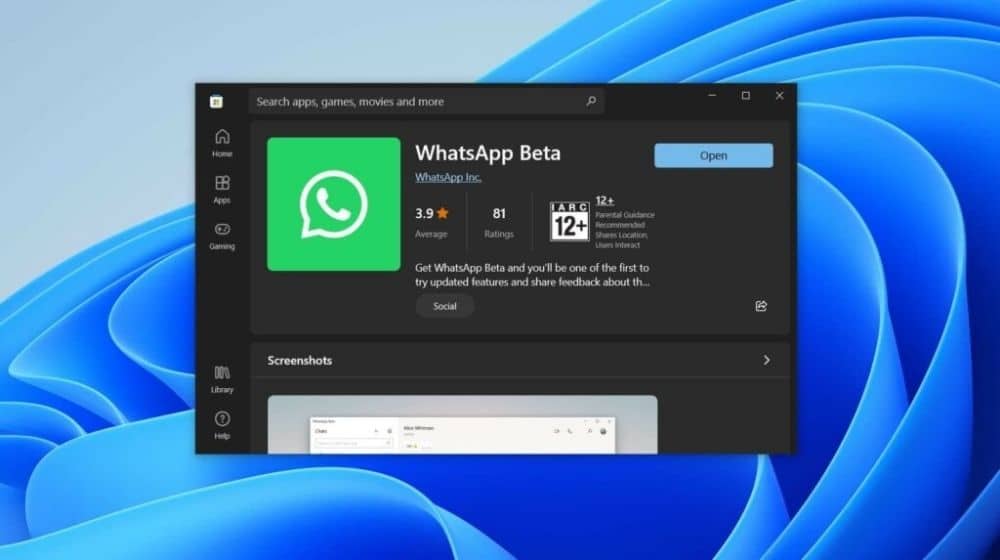
    Back in 2021, we heard that WhatsApp is working on a standalone desktop app to be used on Windows. However, the app has been available to download for some time now via the Windows App Store, although still in beta. It was developed with an aim to have a dedicated Windows App, eliminating the need to rely on browsers like Google Chrome, Microsoft Edge, Firefox, or others to open and use WhatsApp Web.

    The app is currently based on Universal Windows Platform (UWP) instead of Electron and packs inking and multi-device support. However, now, it appears that the development team wants to blend it with the Fluent Design of Windows 11.

    This discovery was made by Windows leakster @FireCubeStudios in a tweet, who noticed the changed interface of the new beta version of WhatsApp for Windows

    Remember the WhatsApp UWP app? They are now moving to WinUI 2.6+ stylings to get Windows 11 Fluent Design #Whatspp #Windows11 #uwp #FluentDesign pic.twitter.com/94PhDofJC1

    — FireCube (@FireCubeStudios) January 17, 2022

    The changes can be seen in the rounded radio buttons, drop-downs, and more elements that seem to be more in line with the Windows 11 design code. Although it is definitely a work in progress and there are still some UI elements that are inconsistent with Windows 11 and still require work.

    WhatsApp Desktop is also largely dependent on being used with your smartphone and is not entirely independent. So if you want to use WhatsApp on your PC without your smartphone’s support, WhatsApp Web via multi-device linking is your only choice as of now.


    Share. Facebook Twitter Pinterest LinkedIn Tumblr Email

    Related Posts

    Decision to Restore X (Twitter) Left to New Govt

    February 28, 2024

    X Has Been Blocked Due to “Illegal Content”: Govt Sources

    February 27, 2024

    X is Still Not Working Properly After 9 Days in Pakistan

    February 26, 2024
    Ad

    Samsung Galaxy Z Fold 6 Appears in Renders Again With No S-Pen Slot

    February 28, 2024

    ProPakistani Unveils Tecno Innovations at MWC 2024: A Glimpse into the Future of Technology

    February 28, 2024

    University of Management and Technology Hit by a Massive Hacker Attack

    February 28, 2024

    PTCL Group Announces Shoq TV Box Powered by Android TV at Mobile World Congress

    February 28, 2024

    All You Need to Know About Stylish and Feature-Packed vivo Y17s Diamond Orange Edition

    February 28, 2024

    HMD Teases Its First Self Branded Phones Instead of Nokia

    February 28, 2024

    Subscribe to Updates

    Get the latest creative news from FooBar about art, design and business.

    • Facebook
    • Twitter
    • Instagram
    • YouTube
    Mobile

    Samsung Galaxy Z Fold 6 Appears in Renders Again With No S-Pen Slot

    By QuartulainFebruary 28, 20240
    Mobile

    ProPakistani Unveils Tecno Innovations at MWC 2024: A Glimpse into the Future of Technology

    By QuartulainFebruary 28, 20240
    Facebook X (Twitter) Instagram YouTube
    • About
    • Terms Of Use
    • Privacy Policy
    • Disclaimer
    • Affiliate Disclaimer
    © 2026 Designed by Chunk Labs Hosted on Host Chacho.

    Type above and press Enter to search. Press Esc to cancel.

    Go to mobile version