Close Menu
    Facebook X (Twitter) Instagram
    Tech Chacho
    • News
    • Mobile
    • Gadgets
    • Enterprise
    • Security
    • Reviews
    • Startups
    • How To’s
    • More
      • Fintech
      • Education
      • Cryptocurrency
    Facebook X (Twitter) Instagram
    Tech Chacho
    Home » Alert: Samsung’s One UI 4 Update is Making Phones Unusable
    Alert: Samsung’s One UI 4 Update is Making Phones Unusable
    OS

    Alert: Samsung’s One UI 4 Update is Making Phones Unusable

    November 27, 2021No Comments2 Mins Read
    Share
    Facebook Twitter LinkedIn Pinterest Email

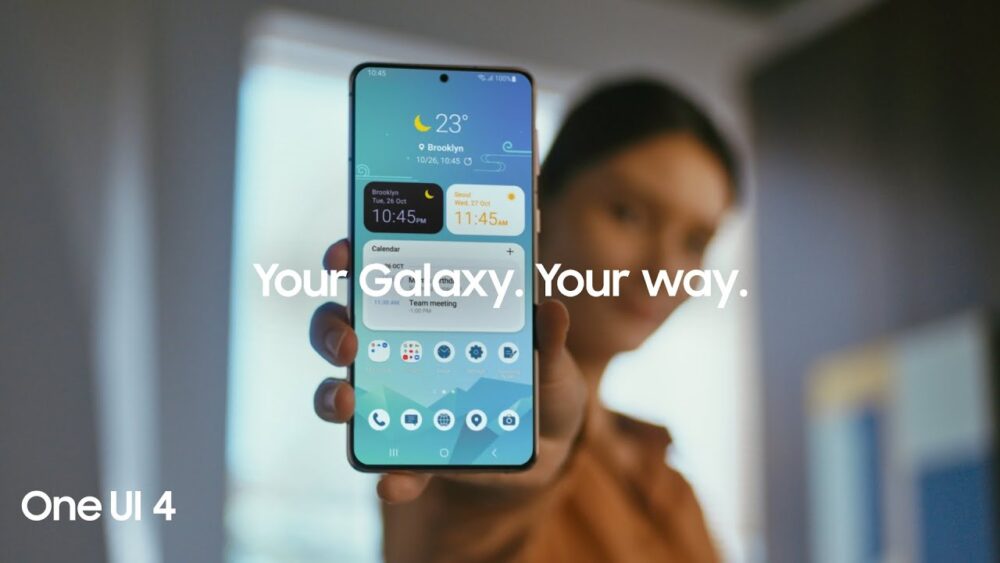
    Samsung rolled out the Android 12 One UI 4 update for the Galaxy S21 series just last week. While the update did upgrade the device’s OS to Android 12 and introduced a plethora of impressive new features, many users who updated to this build reportedly faced some annoying lagging issues related to a buggy adaptive refresh rate implementation and claimed that many popular apps were malfunctioning or crashing.

    While other variants seemed unaffected by this bug, Snapdragon 888-powered U.S. variants experienced UI stutter and lagging issues, affecting the overall user experience of the phone.

    According to reports, Samsung support has also failed to fix the bugs for users who have already updated their phones to the One UI 4.

    To somewhat solve the problem, Samsung is now rolling out another stable hotfix update for the Galaxy S21 lineup to address these bugs and apparently fix the UI lagging issue.

    The issue started popping up when users selected 120Hz in Settings. The UI would go back to a 60Hz refresh rate once the user stopped using the screen. This resulted in stuttery animations, scrolling, and UI lag.

    As of yet, there is no clarity on whether the update will be made available for other regions or not. However, so far the users who installed this new update are already experiencing overall improved responsiveness on their phones. Although, some third-party apps are still suffering from scrolling lag. If you haven’t received the update notification, then you can manually check for it.

    To do that, simply head over to the Settings menu. Then tap on System updates and select Download and install. The system will check for new updates, and once detected, you can tap on the notification to begin the download.

    Share. Facebook Twitter Pinterest LinkedIn Tumblr Email

    Related Posts

    Google Fixes Major Android Flaw With Latest Update

    February 10, 2024

    iOS 18 May Be The Biggest Upgrade Since The First iPhone

    January 29, 2024

    Windows 11 Gets Built-in Voice Clarity Feature for Calls and Gaming

    January 29, 2024
    Ad

    Samsung Galaxy Z Fold 6 Appears in Renders Again With No S-Pen Slot

    February 28, 2024

    ProPakistani Unveils Tecno Innovations at MWC 2024: A Glimpse into the Future of Technology

    February 28, 2024

    University of Management and Technology Hit by a Massive Hacker Attack

    February 28, 2024

    PTCL Group Announces Shoq TV Box Powered by Android TV at Mobile World Congress

    February 28, 2024

    All You Need to Know About Stylish and Feature-Packed vivo Y17s Diamond Orange Edition

    February 28, 2024

    HMD Teases Its First Self Branded Phones Instead of Nokia

    February 28, 2024

    Subscribe to Updates

    Get the latest creative news from FooBar about art, design and business.

    • Facebook
    • Twitter
    • Instagram
    • YouTube
    Mobile

    Samsung Galaxy Z Fold 6 Appears in Renders Again With No S-Pen Slot

    By QuartulainFebruary 28, 20240
    Mobile

    ProPakistani Unveils Tecno Innovations at MWC 2024: A Glimpse into the Future of Technology

    By QuartulainFebruary 28, 20240
    Facebook X (Twitter) Instagram YouTube
    • About
    • Terms Of Use
    • Privacy Policy
    • Disclaimer
    • Affiliate Disclaimer
    © 2026 Designed by Chunk Labs Hosted on Host Chacho.

    Type above and press Enter to search. Press Esc to cancel.

    Go to mobile version